

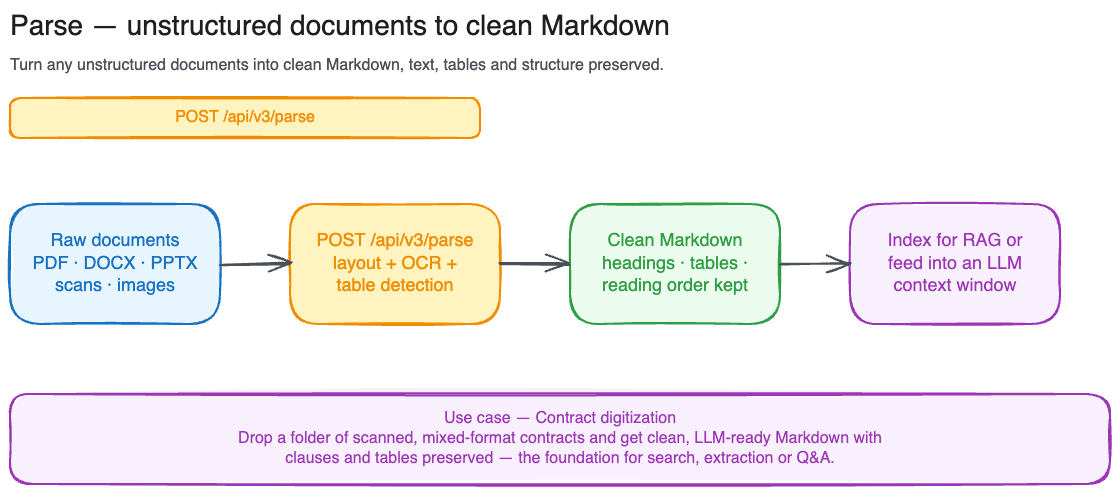
Parse a document
From a local file:file (multipart) and document (JSON URL) are mutually exclusive: pass one or the other.
What comes back
The response includes the parsed Markdown, broken out per page, along with metadata about the original document:result.pages is an array, one entry per page, each with a 1-based index and the markdown for that page. Headings, lists, tables, and code blocks are preserved where the source document supports them. Concatenate the per-page markdown (in index order) to reconstruct the full document.
Large documents: async mode
Sync mode is capped at 20 MB / 15 pages. For larger documents, setoptions.async = true. The call returns 202 immediately with a parse_<token> job id instead of blocking, and you poll GET /api/v3/parse/{id} until the job reaches a terminal status.
options as a JSON-encoded form field: -F 'options={"async":true}'.
The polling response uses the same envelope as the sync result: result, usage, completed_at, and processing_time_ms are null while the job is in flight and populated once status is completed. On terminal failure, status is failed and an error block describes the cause.
Supported formats and limits
Formats:.pdf, .png, .jpg, .jpeg, .pptx, .ppt, .odp, .docx, .odt, .doc, .html
To make a document searchable rather than just converting it once, ingest it with Files and retrieve relevant sections with Search.